
According to legend, a Kratt is assembled from whatever scraps are at hand, like straw, sticks, old tools, and brought to life by making a pact with the devil. Once animated, it becomes an obedient servant that fetches things, carries loads, and does work on your behalf, tirelessly and unseen.
I had two good reasons to build a new plugin. First, I had plenty of Claude Code tokens to burn ahead of their weekly renewal. Second, ever since I watched this weird Estonian film, I wanted to build something and call it Kratt.
OK, if I’m being honest, there was a third reason too…
One of the things I was most curious about in WordPress 7.0 is its built-in AI integration. The platform now ships with a native AI client that any plugin can call, without having to deal with API authentication, provider selection, or any of the plumbing that usually comes with integrating an AI service. That sounded like a good excuse to build something and see how far it could go.
The problem I wanted to explore
WordPress comes with a lot of blocks. A lot. If you are a developer or a power user who has spent years in the editor, you have probably internalized most of them, you know which one produces a grid, which one accepts inner blocks, and which one renders a button. But for someone who is new to WordPress, or even for an experienced user working with an unfamiliar setup, navigating the block inserter can feel like browsing a hardware store without knowing the name of the tool you need. You open the inserter, see a wall of icons and labels, and start testing blocks one by one to find the one that does what you had in mind.
I wanted to explore a different interaction model: what if, instead of searching for the block that does what you want, you simply described what you want? Not in a structured, technical way, but in plain language, the way you would explain it to a colleague. “Add a two-column layout with an image on the left and a short paragraph on the right.” That kind of thing. The editor would figure out which blocks to use and assemble them for you.
That is the idea behind Kratt.
What Kratt actually does
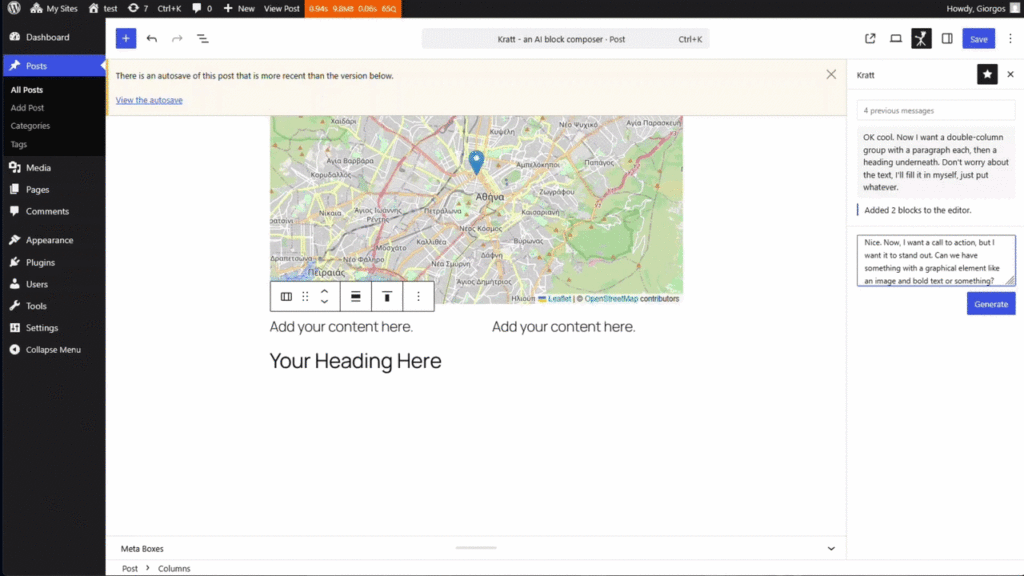
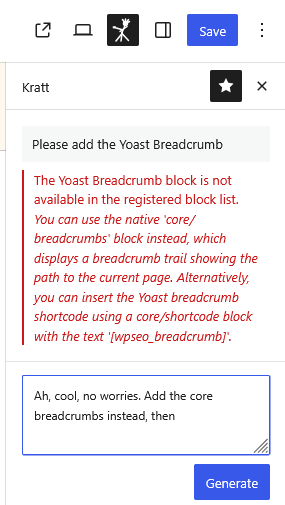
Kratt adds a sidebar panel to the Block Editor. You type what you want to build, hit Enter, and the AI returns a block structure that gets inserted at the cursor position. No block inserter, no searching, no dragging things into place.
The part I found genuinely interesting to work on was the catalog logic. Rather than hardcoding a list of blocks Kratt can use, it reads the block registry of the site it is installed on and builds its own catalog from whatever is actually registered. This matters more than it might seem at first glance: a site might have blocks from a theme, from a plugin, or a combination of both, and a composer that only knows about core blocks is only useful for a fraction of what that site can actually produce.
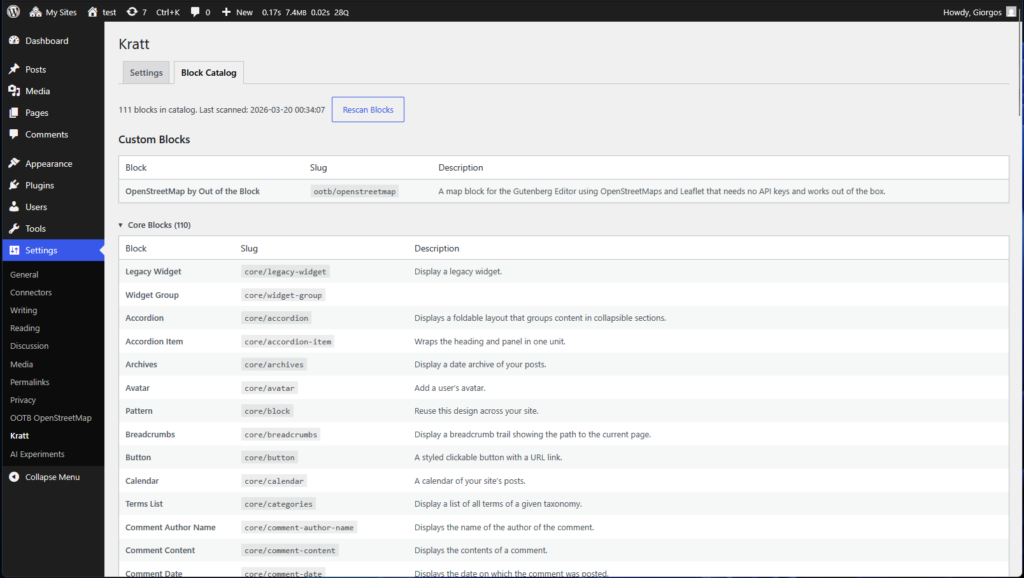
When Kratt sends a request to the AI, it includes only the blocks that exist on that specific installation, which means the AI cannot suggest a block that the editor would not be able to insert.
The connection to the AI itself required almost no work on my part, which was honestly a bit disorienting after years of building things where provider authentication was always a significant piece of the puzzle. WordPress 7.0 takes care of it entirely through its built-in AI client. I just call wp_ai_client_prompt(), pass the system instructions and the user’s prompt, and get a response back. The provider, the API key, the model configuration: all of that lives in a separate provider plugin that the site administrator installs and configures independently. Kratt does not need to know or care which AI is on the other end.
Going further with the Abilities API
WordPress 7.0 also introduces an Abilities API, which allows plugins to register structured descriptions of the AI-related things they can do. I used it to experiment with something specific: making Kratt aware of the block attributes of a third-party plugin.
The plugin I tested this with is Out of the Box OpenStreetMap, which I also maintain. The map block has attributes that the AI cannot reasonably guess from the block name alone: zoom level, center coordinates, tile provider, map type. Without any additional information, the AI would insert the block with empty attributes and let WordPress fall back to defaults, which is technically correct but not very useful if the user asked for “a map centered on Athens.”
The Abilities API gives the OpenStreetMap plugin a way to describe those attributes in a structured format. Kratt reads that description when it builds the catalog, and the AI suddenly knows that it can set coordinates, zoom, and provider from the user’s natural language prompt. The result is that a request like “insert a map showing the Acropolis” produces a block with the coordinates already set, rather than an empty map that the user has to configure manually.
This felt like the most interesting part of the experiment, because it points toward a model where plugins do not need to integrate with any specific AI tool; they just describe what they can do, and any AI-aware tool can read that description and act on it.
A few caveats worth naming
Kratt is experimental, and that word is doing real work here, not just covering my back. It depends on WordPress 7.0, which, at the time or writing this post, has not shipped yet. The AI features it builds on are new enough that the APIs might still change before the stable release. And the quality of the output depends entirely on how well the AI interprets the prompt and how good the block catalog metadata is, which varies a lot between core blocks (where the descriptions are hand-curated) and third-party blocks (where the metadata is derived automatically from the registry).
I also want to be honest about what this is not. It is not a polished product. It is a plugin I built to learn something, and I am sharing it because I think the ideas behind it are worth discussing, not because I am confident it will work flawlessly in every environment. If you install it on a production site, that is on you.