Not so long ago, if you wanted to do something new on your computer, you’d search for an app. Not necessarily one that did exactly what you wanted, but close enough to be worth it. You’d accept the limitations, the bloat you didn’t need, and all the conventions that didn’t quite match how you thought about the problem. And if no such app existed, you’d just accept that too, and move on.
AI changed this. At least for me, and I bet for many others too. I now often find myself taking a different route: instead of hunting for an existing tool that does a specific thing, I just ask Claude Code to build it, and use Obsidian as my frontend.
If you strip Obsidian down to what it actually is, it is a markdown reader with a file browser. That sounds reductive, but it is also why it pairs so well with Claude Code: any vault Claude Code writes to becomes immediately visible, navigable, and editable in Obsidian without any glue code, API, or sync layer. The files are just there, and you can easily read them even directly from your file manager.
A few weeks ago I started to abstract some of these personal apps that I made, and build a small collection of workflows I call ai-playbooks. There, each playbook is a standalone Obsidian vault with a CLAUDE.md that tells Claude Code how to behave inside it. Anyone who might be interested into its functionality, can download it, set it up and adapt it to their own needs.
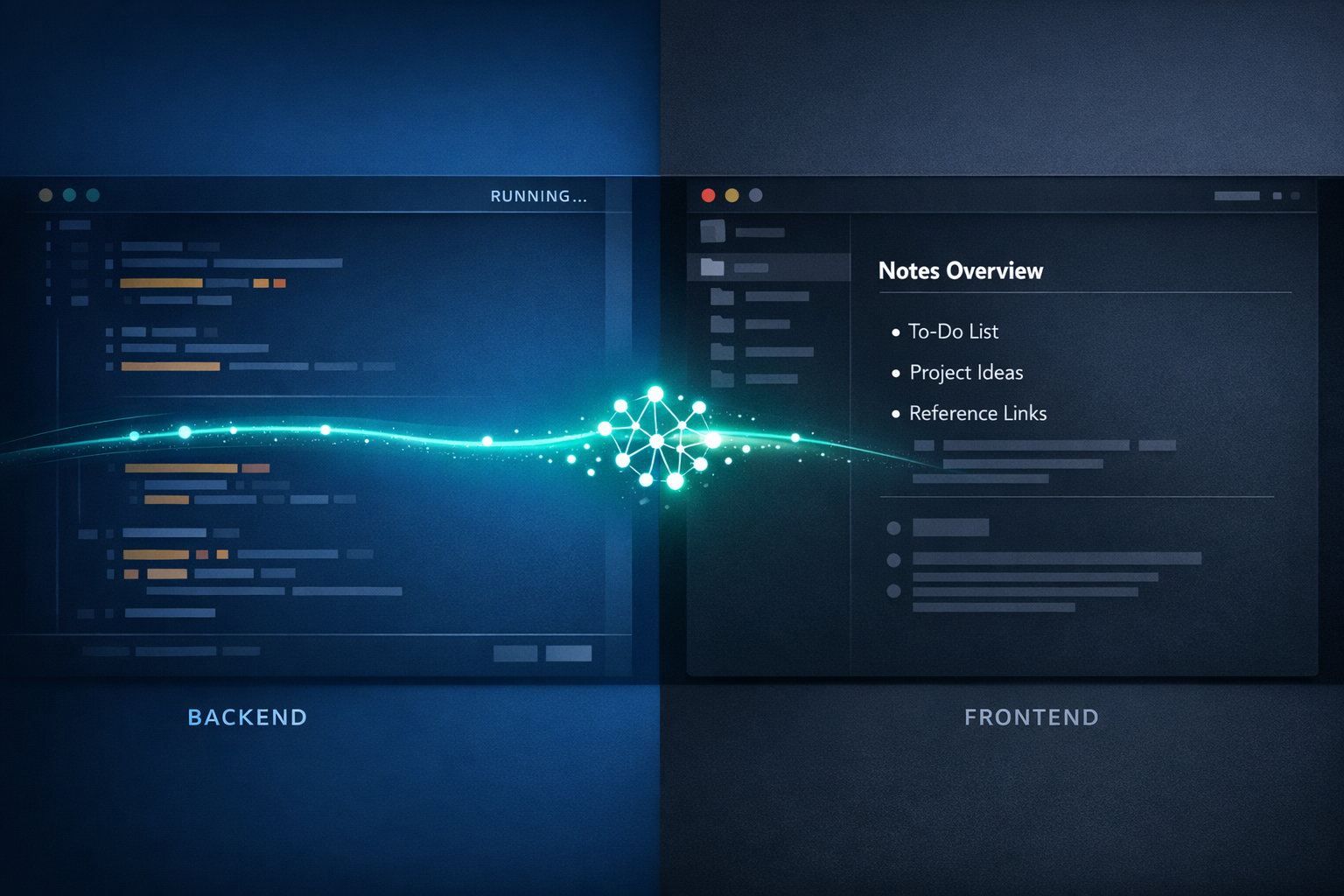
Claude Code generates and maintains most of the content; Obsidian is how I browse, search, and interact with it. In practice, the split feels a lot like a traditional app architecture: Claude Code is the backend and Obsidian is the frontend, except the “frontend” ships with Obsidian itself and I just configure it.
One consequence of this setup is that most of my vaults are in read-only mode by default. Obsidian lets you lock editing per vault, and I use that feature deliberately: the vaults are Claude Code’s territory, and I do not want to accidentally overwrite something with a misplaced keystroke. When I do need to edit something manually (an idea note, a configuration tweak), I unlock editing, make the change, and lock it again. This is a small discipline, but it reinforces the ownership model and prevents the kind of drift that makes personal knowledge bases go stale.
Turns out I’m not the only one
When I read Andrej Karpathy’s LLM Wiki pattern, I recognised what I had been building. His core idea is that instead of re-deriving knowledge from raw sources on every query (the standard RAG pattern), you have an LLM incrementally build and maintain a persistent wiki: structured, cross-linked, kept current. The LLM absorbs the maintenance burden that causes humans to abandon wikis; the human retains control over direction and judgment.
That is, more or less, what each of these vaults does. The difference is that I am not running a single unified wiki across all domains; I am running separate vaults with different purposes, each with its own schema and rules. The pattern is the same, and the scope is narrower by design.
Web Clipper and automations
The Obsidian Web Clipper extension has turned out to be one of the more useful additions to this stack. When I find something worth capturing, I clip it from the browser and it lands as a markdown file in a designated inbox folder inside the vault. From there, Claude Code picks it up, evaluates it, or processes it, depending on what the vault expects. The clipper closes the loop between “I found this on the web” and “Claude Code now has structured content to work with” without requiring me to copy-paste anything.
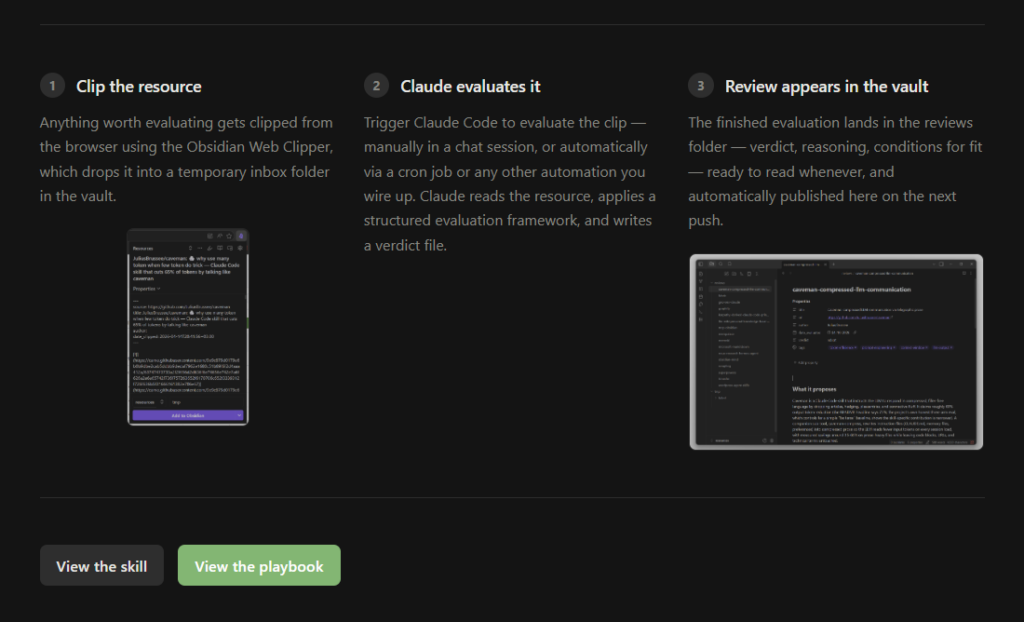
Beyond the clipper, Claude Code can wire up automations that run independently: cron jobs that watch a folder and process new arrivals, file watchers that fire whenever a staging folder changes, scripts that pull from external sources on a schedule. These are not things that require a separate automation platform; they are just shell scripts and cron entries, which Claude Code can write and maintain as part of the vault setup.
The playbooks
Resource Library
The one I use most actively is the Resource Library, and I made a live demo of it here: ai-resources.gsarigiannidis.gr.
The premise is simple: instead of bookmarking things and forgetting them, I evaluate every external methodology or tool against my actual setup before it enters the library. An /evaluate-resource skill fetches the URL, drafts a structured review through an Opus subagent (covering what the thing proposes, when it is a good fit, when it is not, and a verdict from a defined taxonomy: adopt, adapt, watch, catalog, or skip), presents the draft for my approval, and writes the result to resources/reviews/ only after I confirm. In Obsidian, a Bases view groups all entries by verdict automatically, so the library is always browsable without any manual sorting. The intended workflow uses the Web Clipper: clip anything that looks interesting, ask Claude Code to evaluate it, and let the library grow without becoming a graveyard of unread links.
There is also a cron-based variant that processes a queue of clipped resources automatically and writes evaluations to the vault unattended, for when I want to batch through a backlog without sitting at the terminal for each one.
Stories
The Stories playbook is a fiction-writing workflow for novels, novellas, and short stories. The most important thing to say about it upfront is what Claude Code is explicitly forbidden to do: touch the story itself. The actual prose is entirely human-written, and the CLAUDE.md enforces this as a hard rule. What Claude Code handles is everything around the story: scaffolding the structure from rough notes, maintaining per-chapter state files (characters, locations, timeline), running developmental and language editing passes that present suggestions for the author to accept or reject, and flagging continuity errors across chapters.
There is a personal writing-style skill that can be populated from your own prose samples so that feedback is calibrated to your voice rather than to generic criteria, though it takes a few stories to become really useful. The vault has slash commands for each stage of the process. The human writes; Claude Code tracks, reviews, and flags.
Plant Health Tracker
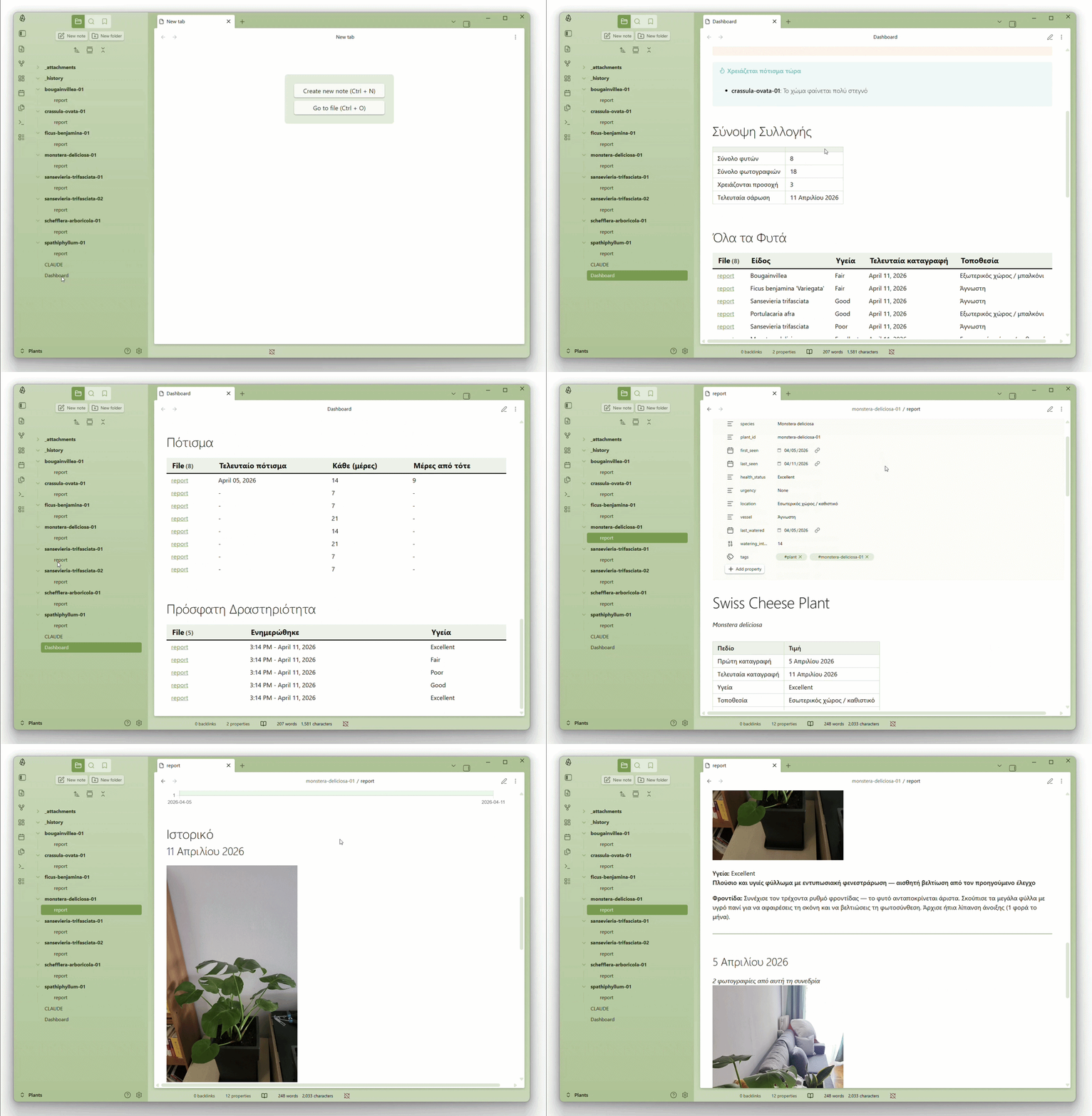
The Plant Health Tracker is the most obviously unconventional one. You drop photos of your plants into a staging folder (a OneDrive or Dropbox subfolder works fine for syncing from your phone), and Claude Code analyses them with vision: identifying each plant, matching it against its history across previous scans, producing a health report with embedded photos, a health trend chart, and care advice.
The vault has a live Dashboard that Dataview renders from the report frontmatter. If an identification comes back with low confidence, a warning appears in the Dashboard and the photos are queued for a higher-quality rescan with Opus. It started as a weekend experiment and turned into something I actually use.
More vaults, more specific ones
The three playbooks above are the ones I have abstracted enough to be useful to someone other than me. But I have more vaults running the same pattern that I have not published, because they are too specific to my own situation: one that tracks financial data, another that manages health-related things like medical tests and prescriptions. These would not translate cleanly to a public playbook without a lot of careful generalisation, and I am not sure that work is worth doing yet.
The plan is to keep adding to ai-playbooks when I build something that clears that bar: genuinely portable, general enough to be useful to others, and specific enough to be more than a template. If you are running a vault that you think could be abstracted into a playbook, I would be curious to hear what it does.
Why Obsidian is a good fit for this
The honest answer is that Obsidian gets out of the way. At its lowest layer it is just a markdown reader, which means anything Claude Code writes is immediately usable without additional tooling. But you can extend it incrementally: add Dataview if you want queryable frontmatter and live tables, add Charts if you want visualisations, add Templater if you want automated scaffolding, add Web Clipper if you want a browser-to-vault pipeline.
Each vault can have a completely different plugin configuration depending on what it needs: the resource library uses Bases (no plugins required, it is built into Obsidian now), the plant tracker uses Dataview and Charts, the stories vault uses Templater and a handful of writing-focused plugins. You are not forced into a single application model.
The read-only discipline and the CLAUDE.md files together create something that feels more like a configured system than a collection of notes. Claude Code knows the schema, the rules, and what it is allowed to touch; Obsidian is how you look at what it produced. The maintenance burden that kills most personal knowledge bases ends up sitting with Claude Code, which does not get tired of it.